In short: UK Emergency Alerts are free government warnings sent to compatible mobile phones and tablets near a serious emergency. Your phone may make a loud siren-like sound and vibrate for about 10 seconds, even on silent. Stop what you are doing and follow the instructions. If you are driving, do not read it until you can stop safely.
Key facts
- Emergency Alerts warn of life-threatening emergencies and can only be sent by the emergency services and government bodies that deal with emergencies. Source
- Your phone may make a loud siren-like sound, even on silent, and vibrate for about 10 seconds. Source
- Alerts work on all 4G and 5G networks in the UK; iPhones need iOS 14.5 or later and Android devices Android 11 or later. Source
- UK-wide national tests took place on Sunday 23 April 2023 and Sunday 7 September 2025, both at around 3pm. Source
- The service never sends emails or asks for personal details. Source
- In Wales, alerts may also be sent in Welsh. Source
 Want this written down for your home? Household Emergency Plan Pack — printable, £6.99.
If your phone has ever suddenly made a loud, siren-like noise and shown a message headed "Emergency alert", this is what it was. The UK's Emergency Alerts system is designed to reach people quickly when there's a danger to life nearby. This guide explains how alerts work, which phones get them, what to do when one arrives, how to tell a real alert from a scam, and when opting out might be the right choice.
What are UK Emergency Alerts?
GOV.UK describes Emergency Alerts as a UK government service that gives warnings and advice in life-threatening emergencies. Examples it gives include wildfires, severe flooding and extreme storms.
Key points:
- Only official bodies can send them — the emergency services and the government departments, agencies and public bodies that deal with emergencies.
- They're based on where you are now, not where you live or work. If you're visiting another part of the country, you'd get alerts for that area.
- The government doesn't need your phone number or location, and you don't need to turn on location services.
- Each alert includes a phone number or GOV.UK link for more information.
Alerts don't replace other sources of information. GOV.UK says the emergency services have other ways to warn you, and alerts don't replace local news, radio, TV or social media. A battery or wind-up radio is still a good back-up — see our wind-up radio guide.
What does an Emergency Alert sound like?
According to GOV.UK, when an alert arrives your phone or tablet may:
- make a loud siren-like sound, even if it's set to silent
- vibrate
- read the alert out loud
The sound and vibration last about 10 seconds. If you're deaf, hard of hearing, blind or partially sighted, GOV.UK says audio and vibration attention signals can let you know about an alert, as long as accessibility notifications are enabled on your device.
It can be startling. Knowing what it is in advance makes it much easier to stay calm and read the message — which is one reason the government runs national tests.
How do Emergency Alerts work, and which phones get them?
GOV.UK explains that in an emergency, mobile phone masts in the surrounding area broadcast the alert, and every compatible phone or tablet in range receives it.
| Question | Answer from GOV.UK |
|---|---|
| Which networks? | All 4G and 5G networks in the UK |
| 2G or 3G only? | Won't receive alerts |
| iPhone | iOS 14.5 or later |
| Android | Android 11 or later (some earlier versions may work — search settings for "emergency alerts") |
| Other phones | May also receive alerts |
| Wifi-only devices | Won't receive alerts |
| Phone switched off | Won't receive alerts |
| Airplane mode | May not receive alerts |
| Need mobile data or wifi? | No |
| Cost | Free — no sign-up, no app |
| Data collected? | No data about you, your device or your location is collected or shared |
GOV.UK also recommends keeping your device's software up to date. Android users may get more than one reminder about the same alert; these reminders can be turned off in the "emergency alerts" settings.
If an older relative has an old handset or a basic phone, it may not receive alerts — another reason to include them in your household emergency plan and agree who will check on them.
What should I do when I get an Emergency Alert?
GOV.UK's advice is simple:
- Stop what you're doing and read the alert.
- Follow the instructions in it.
- Use the phone number or GOV.UK link in the alert for more information.
If you're driving or riding
Don't read or respond to the alert while driving or riding. GOV.UK says to stop somewhere safe and legal first. If you can't, and there's no one else in the vehicle to read it, you can listen to live radio for news. Using a hand-held device while driving or riding is illegal.
Quick checklist for when an alert arrives
- Stay calm — the sound stops by itself after about 10 seconds
- If driving, pull over safely and legally before looking
- Read the whole message
- Follow the instructions
- Check the GOV.UK link or number in the alert
- Tell people with you who may not have a compatible phone
- Check on vulnerable neighbours if it's safe to do so
Have there been national tests and real alerts?
Yes. GOV.UK's past alerts page lists two UK-wide national tests:
- Sunday 23 April 2023 — the first national test, at 3pm (GOV.UK, 6 April 2023). A separate test message went to Wales.
- Sunday 7 September 2025 — the second national test, at around 3pm (GOV.UK). The on-screen message said it was only a test.
Real alerts listed on GOV.UK's past alerts page include red wind warnings for storms (for example Storm Darragh in December 2024 and Storm Éowyn in January 2025), severe flooding warnings, the movement of a Second World War bomb in Plymouth in February 2024, and, in August 2026, a very high wildfire risk warning for England and Wales. If you want to see exactly what alerts have looked like, the past alerts page shows the full wording.
The government said regular testing is to check the system works in case it's ever needed in a life-threatening emergency (GOV.UK).
Are Emergency Alerts sent in Welsh?
Alerts are sent in English. GOV.UK says that in Wales they may also be sent in Welsh. The past alerts list shows a separate Welsh-language version of the August 2026 wildfire alert sent to Wales.
Emergency Alert scams: how to tell a real alert from a fake
Because alerts are official and urgent-sounding, scammers may try to copy them. GOV.UK is clear:
- The Emergency Alerts service will never send emails.
- It will never ask for personal details.
- You can check whether an alert is genuine on the GOV.UK current alerts page.
So be wary of any text, email, call or website claiming to be an "emergency alert" that asks you to click a link to log in, confirm your bank details, pay a fee or "register" for alerts. There's nothing to register for. If you receive a suspicious email, GOV.UK links to its reporting page from the Emergency Alerts homepage.
How to turn off Emergency Alerts — and why you might not want to
GOV.UK advises keeping alerts switched on because they contain life-saving information. But you can opt out.
| Device | How to opt out (GOV.UK) |
|---|---|
| iPhone | Settings → Notifications → scroll to the bottom → turn off "Severe alerts" and "Extreme alerts" |
| Android | Search settings for "emergency alerts" → turn off severe and extreme alerts |
| Other phones and tablets | Look for "wireless emergency alerts" or "emergency broadcasts" → turn off severe, extreme and test alerts |
Menu names vary by manufacturer and software version. If you've turned alerts off and still receive them, GOV.UK suggests contacting your device manufacturer.
Before you opt out, think about who in your household might be affected. Alerts are about danger to life, and they're sent rarely.
If you have a hidden phone because of domestic abuse
GOV.UK's opt-out guidance specifically mentions that it may be appropriate for victims of domestic abuse who have a concealed phone to turn alerts off. Because an alert can sound even when a phone is on silent, it could reveal a phone you need to keep hidden. If this applies to you, follow the opt-out steps above on the concealed phone. If you're in immediate danger, call 999.
How Emergency Alerts fit into your household plan
Emergency Alerts are one layer of warning, not the whole system. A sensible household approach:
- Know what the alert sound is, and tell children and older relatives so they aren't frightened.
- Keep phones updated and charged.
- Keep a battery or wind-up radio as a back-up (see our communication guide).
- Sign up for flood warnings where available and read our storms and flooding guide.
- Agree in your household plan who checks on anyone without a compatible phone.
Limitations
This page is general information based on GOV.UK guidance, not professional advice. Always follow the instructions in a genuine alert and from the emergency services, and call 999 if life is at risk. The Emergency Alerts system covers England, Scotland, Wales and Northern Ireland, but local warning arrangements — for example flood warnings from the Environment Agency, SEPA, Natural Resources Wales or in Northern Ireland — differ across the UK.
Turn this guide into a written plan
Reading helps. Writing it down is what makes it work when the phones are flat. Start with the free plan builder, or get the full printable version:
Your whole household planHousehold Emergency Plan Pack£6.99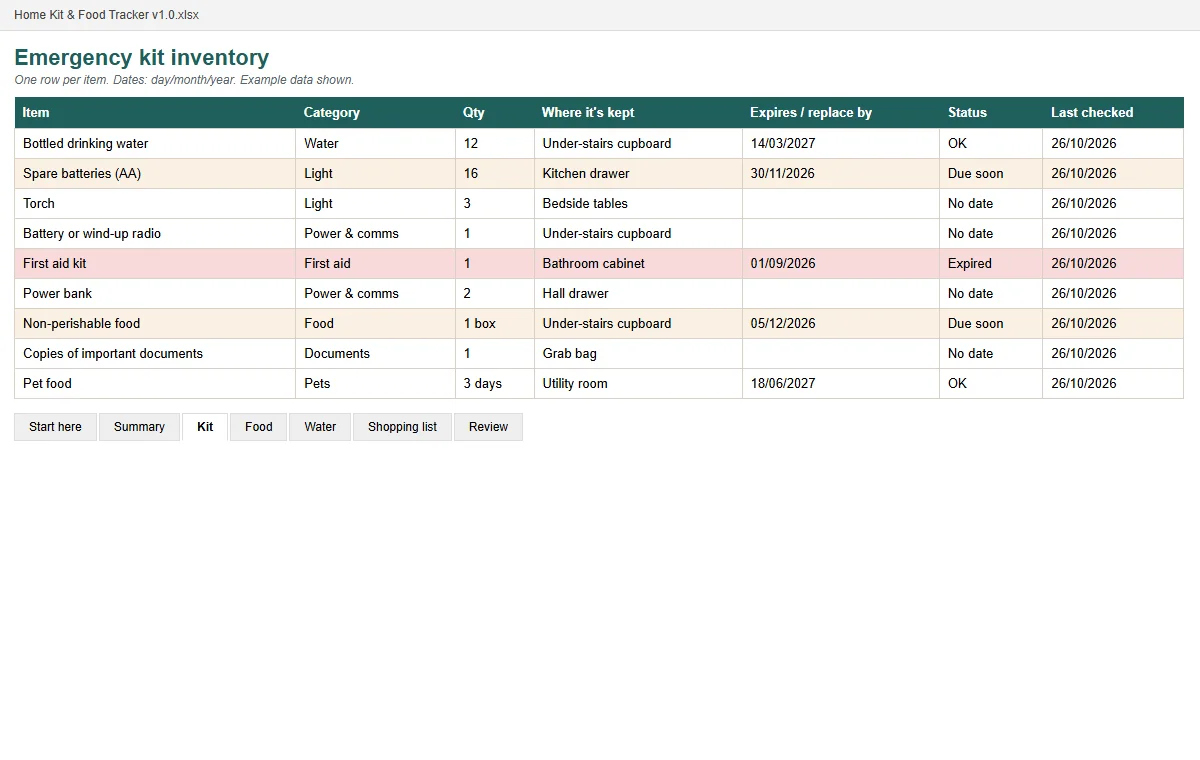 Bundle · £15.97 separatelyPrepared, Not Panicked bundle£9.99
Real pages shown before you buy · instant PDF · one-off price · 30-day refund.
Get the free 72-hour UK household checklist
Tick-box lists for each part of a UK home emergency kit, plus the key numbers on one page. Enter your email and we'll take you straight to the download.
That email address doesn't look right — please check it and try again.
We'll also email you when we publish new guides — occasional, never daily. Unsubscribe any time. See our privacy notice.
Frequently asked questions
What is a UK Emergency Alert?
It's a government service that sends warnings and advice to mobile phones and tablets in an area where there's a danger to life, such as severe flooding, wildfires or extreme storms.
Why did my phone make a loud siren noise?
You probably received an Emergency Alert. GOV.UK says the siren-like sound and vibration last about 10 seconds and can happen even if your phone is on silent. Read the alert and follow its instructions.
Do I need to sign up for Emergency Alerts?
No. Alerts are free, there's no app to download, and the government doesn't need your phone number or location. Compatible phones on 4G or 5G receive them automatically.
Can I turn off Emergency Alerts?
Yes, by turning off severe and extreme alerts in your phone's settings, but GOV.UK advises keeping them on because they contain life-saving information. It says opting out may be appropriate for someone with a concealed phone because of domestic abuse.
How do I know an Emergency Alert is real?
Check the current alerts page on GOV.UK. Genuine alerts never ask for personal details, and the service never sends emails.
When was the last UK Emergency Alert test?
The most recent national test listed on GOV.UK was on Sunday 7 September 2025 at around 3pm. The first was on Sunday 23 April 2023 at 3pm.
Sources
- GOV.UK — Emergency Alerts
- GOV.UK — How emergency alerts work
- GOV.UK — Opting out of emergency alerts
- GOV.UK — Past alerts
- GOV.UK — Current alerts
- GOV.UK — Time set for UK Emergency Alerts test (6 April 2023)
- GOV.UK — National Emergency Alert test to be held on 7th September
- GOV.UK — UK's Emergency Alert system (29 August 2025)